

Products
Adapta Plan
Adapta Plan gets riders the information they need, quickly. Users can plan their trips from wherever they are, to wherever they need to go.
Planning a Trip
To plan a trip, a user must choose an origin and destination. Upon choosing an origin, the user will see travel times from their origin. After choosing a destination, the user will see itineraries matching their chosen options. By default, Adapta Plan will use the current date and time to plan a journey.
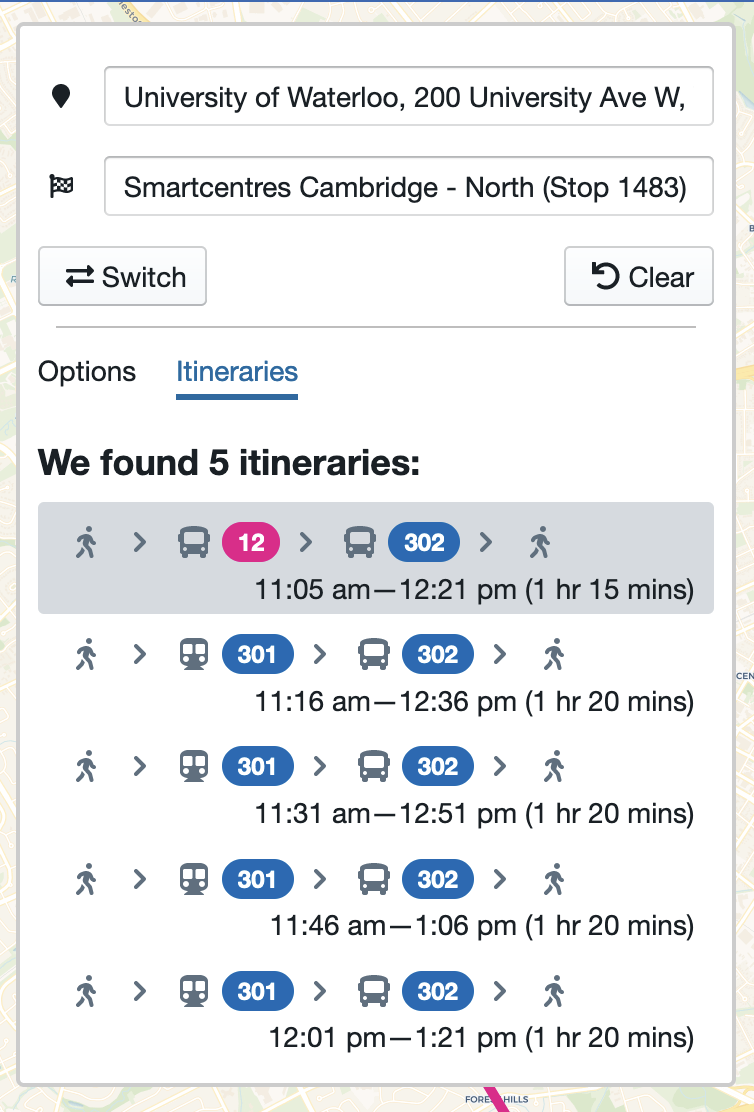
Each itinerary highlights a different trip option for the user.
Configuring Planning Options
While planning a trip or viewing travel times, riders may change the trip parameters. For instance, if a rider wishes to view weekend service, they may change the date field to reflect a weekend.
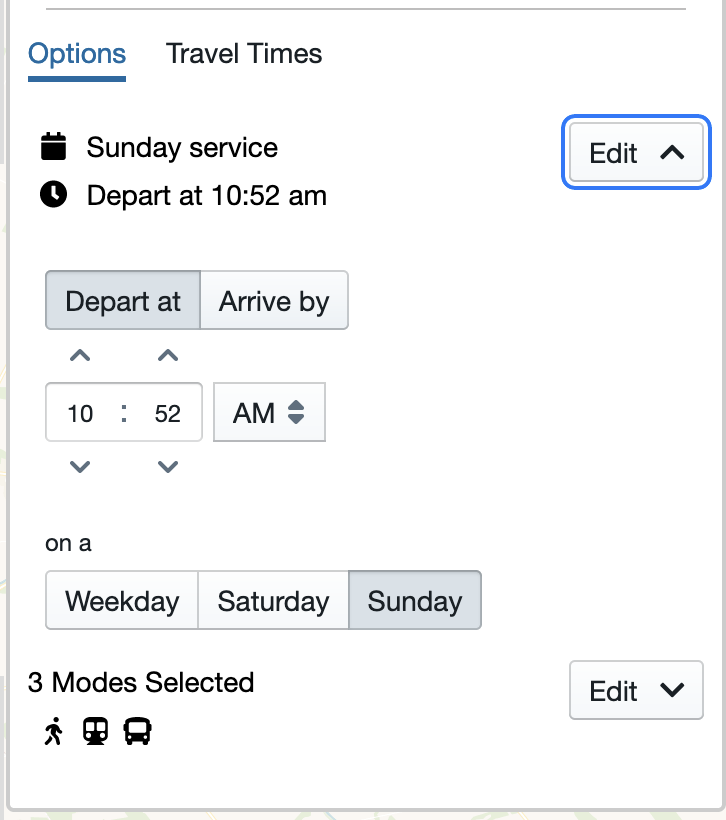
Dates in the far-future or far-past
Adapta Plan is only able to provide routing information for days on which the client has provided Adapta with its static GTFS feed.
Choosing a location
Upon clicking on either field for the first time, the user will be prompted to grant access to their location. Location information will be used to allow riders to choose their curent location as the origin or destination, and to sort points of interest by the user's distance from current location.
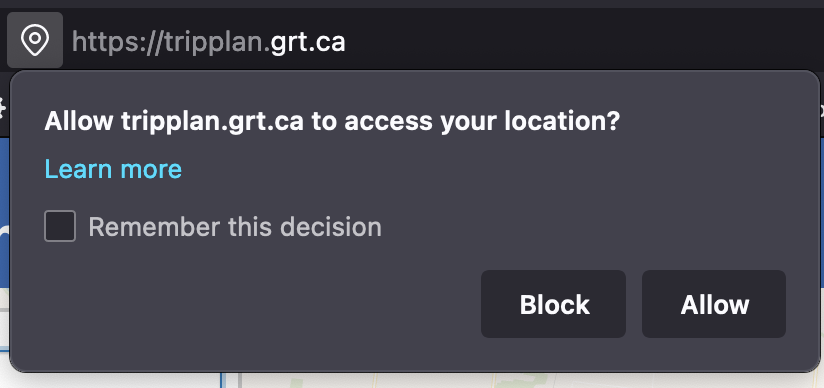
This request for location information will vary based on the user's device and browser. Adapta Plan will continue to function if the user chooses not to allow location information to be shared.
The origin and destination fields allow riders to search by point of interest, by address, and by stop or station.
Searching by Point of Interest
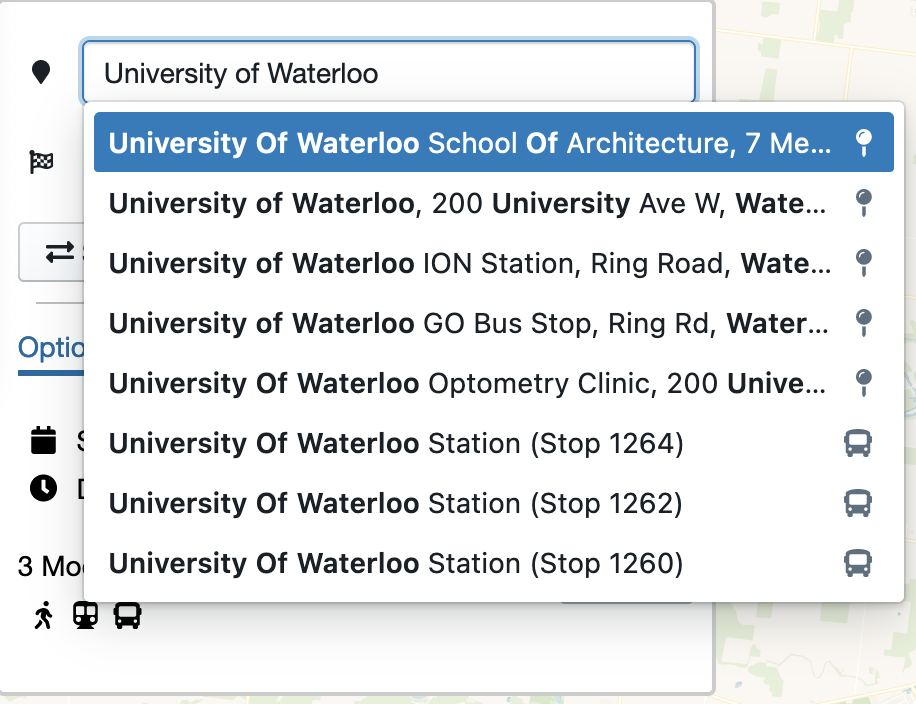
Users may type the name of a point of interest into the field. Adapta Plan updates the list of points of interests periodically.
Searching by Address
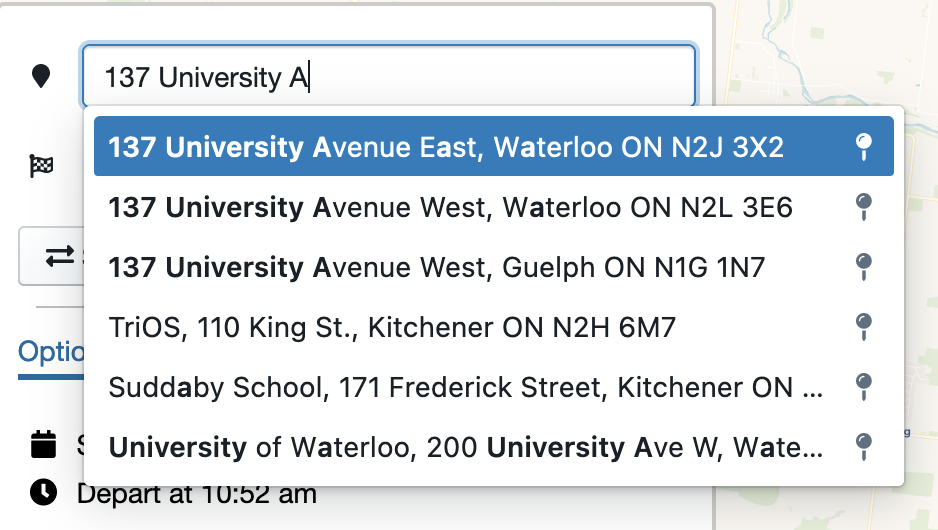
Users may type in their desired address. Adapta Plan periodically updates the list of addresses to account for new subdivisions and developments within the transit agency's service area.
Searching by Stop or Station
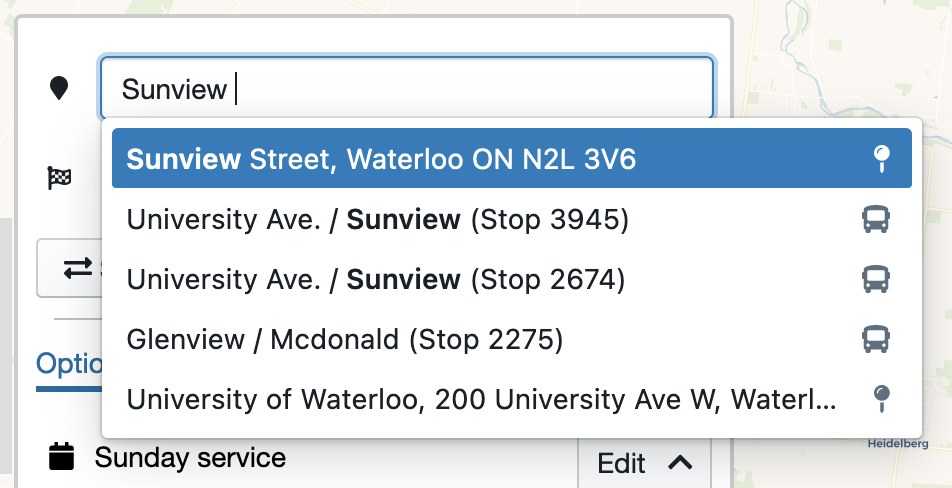
Users may also type in the name of a stop or station. In the event of identically named stops or stations (as in the image above), Adapta Plan will route using the geographic location of the stop, minimizing the chance of user error resulting in unplanable journeys.
Travel Times
After choosing an origin location, Adapta Plan offers users the ability to view potential destinations by travel times. This view is intended to offer users a better understanding of transit service available to them from the origin location.
After selecting an origin while planning a trip, users can see approximate travel times to locations within the transit agency's service area:
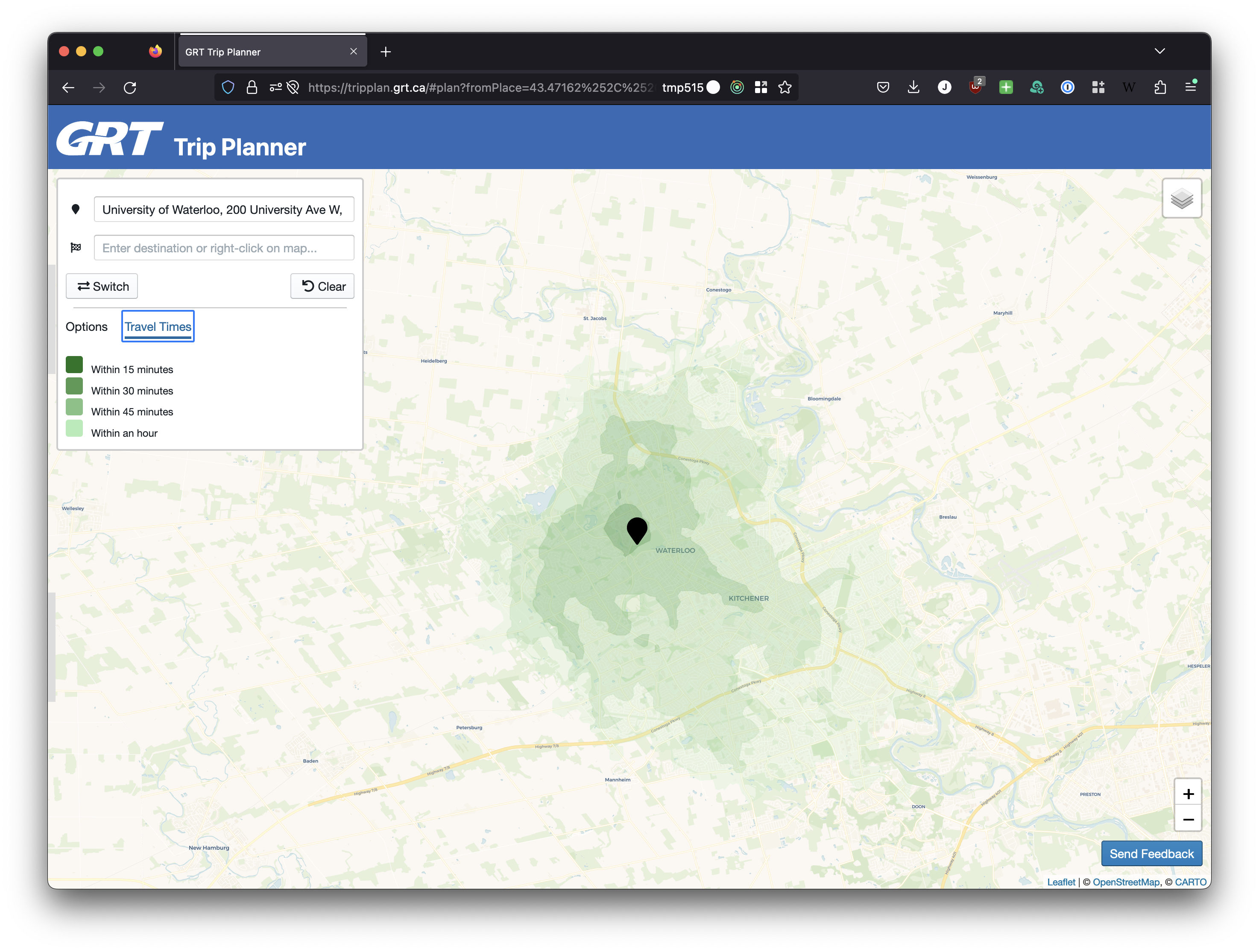
In the image, each colour band represents a different 15-minute interval. The darkest colour band shows locations accessible within 15 minutes, while the lightest colour band shows locations accessible within one hour.
By default, Adapta Plan will use the current time to generate travel times. However, if travel times for an alternate day are needed, riders can use the "Options" link to change their planning options.
Viewing results
Sharing a trip plan
Adapta Plan allows users to share trip plans. After planning a trip, users may choose to share a URL of the current page. Additionally, Adapta also offers a 'share' icon which will automatically copy the URL to the user's clipboard.
Submitting feedback
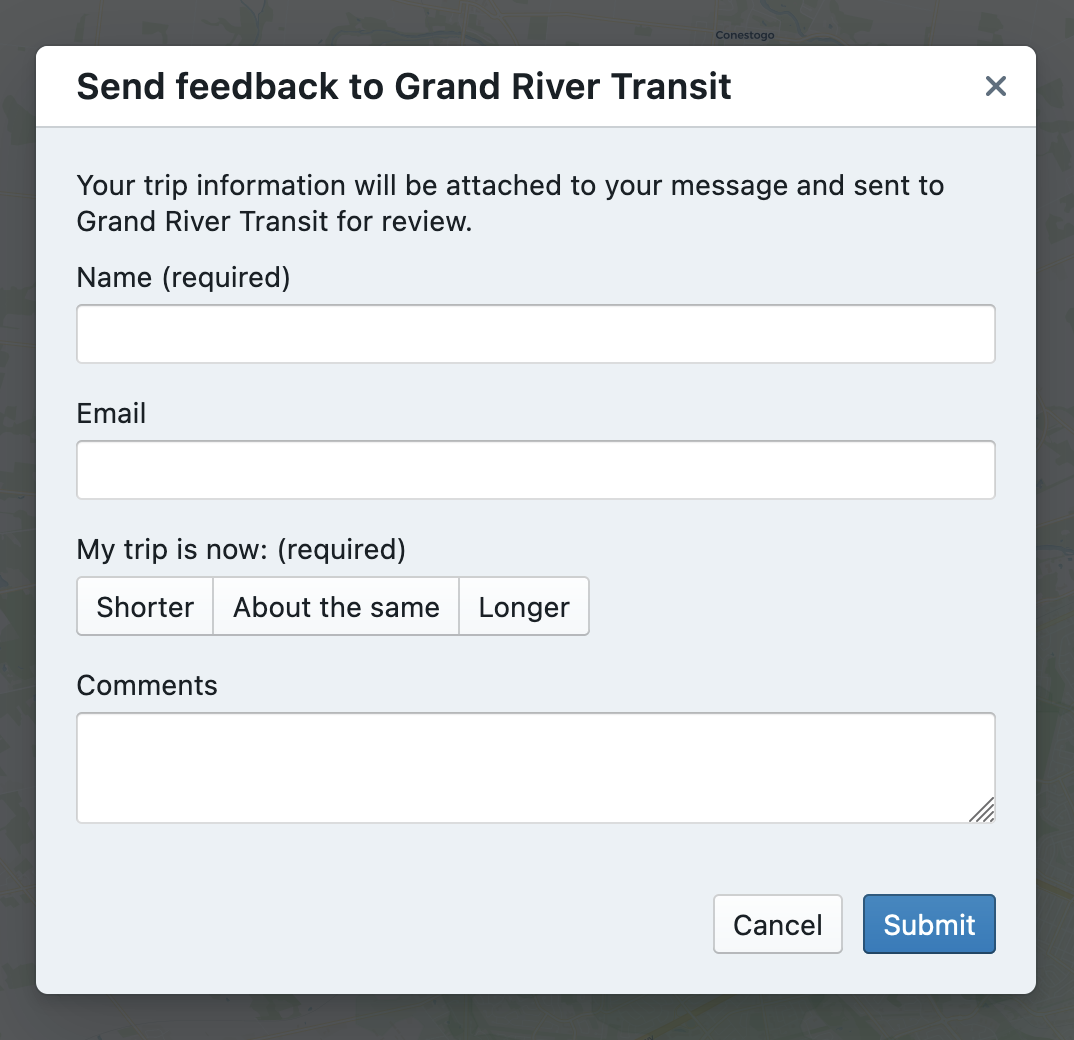
Adapta Plan allows riders to submit written feedback regarding routing results, or route issues while planning a trip or viewing travel times.
To submit written feedback, users can click on the "Send Feedback" button on the bottom right corner of their screen.
Upon clicking the button, the rider can write feedback, along with optional contact information, and submit it to the transit agency.
Automatic data collection
Upon request from a client, Adapta Plan can automatically collect generated travel times as well as trip plans in order to help the transit agency improve service, in accordance with the transit agency's privacy policy. Reach out to your Adapta contact for more information.